
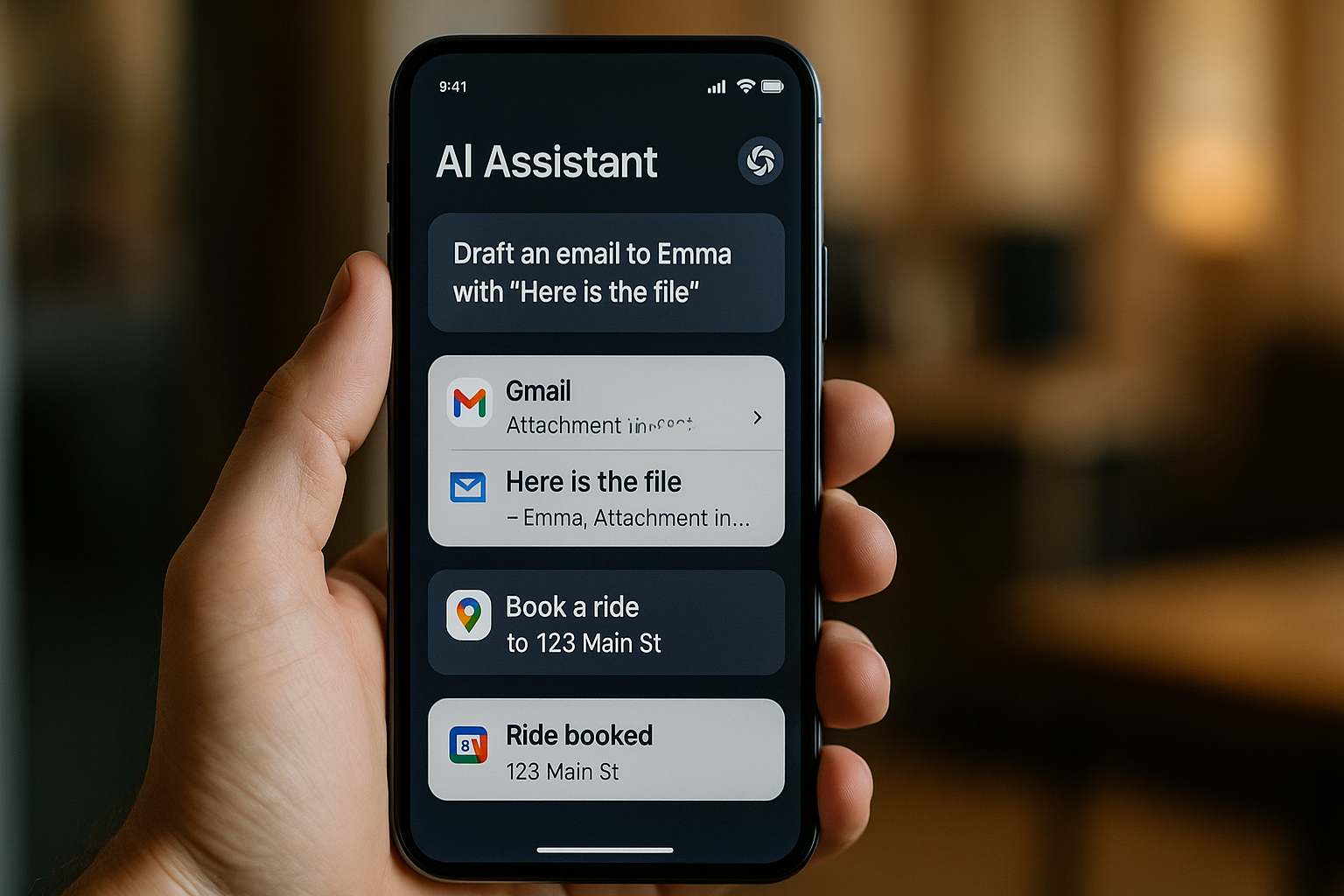
8 Powerful Mobile Apps That Automate Tasks with LLM
Automate Tasks with LLM Introduction: The Rise of AI Agents in Your Pocket
Over the past few years, artificial intelligence has moved rapidly from the cloud into the palm of your hand. What used to be the domain of web-based chatbots or enterprise-level process automation is now being distilled into sleek, compact AI agents powered by Large Language Models (LLMs) available on your smartphone.
And they’re doing more than just chatting.
Today’s most powerful mobile apps go far beyond voice assistants. They read your screen, understand app interfaces, plan actions, and complete real-world tasks on your behalf. These AI agents don’t just fetch information; they interact with apps, simulate user behavior, and even fix their errors when something goes wrong. They are, in many ways, the first true step toward hands-free, task-level mobile automation powered by natural language and machine reasoning.
What’s driving this shift?
The growing sophistication of LLMs like GPT‑4, Gemini, Claude, and open-source models like LLaMA, Mistral, or Vicuna is enabling a new generation of apps that can “understand” what you mean and “act” on it across multiple applications. The combination of semantic understanding, visual interface parsing, and action planning is now becoming commercially viable.
A groundbreaking 2023 research paper from Alibaba researchers, for instance, introduced a concept called LLMPA (LLM-based Process Automation), showing how an AI assistant could navigate through the Alipay app interface to perform real tasks like ordering coffee, making a payment, or booking transit just from a simple voice or text instruction. Other systems like AutoDroid, Mobile-Agent, and VisionTasker show how open-source models can achieve up to 90% automation accuracy across hundreds of app scenarios without any custom integrations or hardcoded scripts.
This marks a major turning point for mobile UX:
- No more switching between apps to complete multi-step workflows
- No more tapping through settings menus to perform a simple task
- No more relying on developers to build API-level integrations for every use case
Instead, we’re entering a world where a user can say:
“Open Gmail, draft a message to Jason, attach my latest file, and send it after 5 PM.”
And the AI does exactly that autonomously.
In this article, we’ll explore eight powerful mobile apps and frameworks that bring this future to life. These tools don’t just help, they act. Whether you’re an automation enthusiast, a productivity hacker, or simply curious about the cutting edge of mobile AI, this is your guide to the most exciting players in LLM mobile automation, from enterprise-ready tools to open-source innovations that anyone can try today.
Let’s dive into the world where your phone doesn’t just understand you, it works for you.
Table of Contents
1. LLMPA‑Powered Alipay Assistant
What it does:
Based on the paper “Intelligent Virtual Assistants with LLM-based Process Automation,” LLMPA integrates into Alipay’s native UI, automatically parsing your intent and performing multi-step processes such as “Order a coffee for pickup” from scratch.
Why it’s powerful:
- Interacts with a real-world, widely used app
- Handles login, menu navigation, order placement, and payment
- Proved feasibility at scale with hundreds of millions of users
This signals the beginning of deep automation, where LLMs can act inside any app with native intelligence.
2. AutoDroid – Open-Source Android Task Solver
What it does:
AutoDroid leverages LLMs (GPT‑4, Vicuna) to directly automate any task in Android apps, without manual scripting.
Performance:
- ≈ 90.9% success rate on UI actions
- Completed ≈ 71.3% of complex tasks across 158 Android scenarios
- Outperformed GPT‑4 baselines by ~36% on action prediction
Why it’s powerful:
- No developer hooks needed
- Works generically across apps via dynamic UI analysis
- Bridges app-agnostic capabilities with LLM logic
3. VisionTasker – UI-Aware Task Planning
What it does:
VisionTasker processes OS screenshots visually, extracts semantic UI elements, and logs instructions for an LLM to plan each step, then executes actions accordingly.
Performance:
- Effective across 147 real-world Android tasks
- Outperforms humans on unfamiliar UIs
- Improved further with Programming-By-Demonstration
Why it’s powerful:
- Doesn’t require app metadata or APIs
- Adapts to unknown visual interfaces with vision-first architecture
4. Mobile-Agent / Mobile-Agent‑v2 – Multi-Agent Execution
What it does:
This multi-agent system (planning, decision, reflection) continuously monitors screen state, interprets UI, plans next move, executes, and corrects errors, including complex dialog like navigating chats, apps, or forms.
Enhanced v2 Version:
- Around 30% task success improvement
- Manages long sequences with intelligent memory and error handling
Why it’s powerful:
- Simulates human cognitive flow
- Modular architecture delivers more robust outcomes
5. Click3 / ClickClickClick – Simplified Intent Launcher
What it does:
A community-built demo tool that reads natural language commands like “Draft a Gmail asking Sam for lunch,” and executes them across apps via LLM integration.
Why it’s powerful:
- Open-source with broad accessibility
- Works with Gemini, OpenAI, and local LLMs
- Enables everyday users to trigger cross-app automations
6. DroidBot‑GPT – LLM-Driven Android Scripting
What it does:
An easy-to-use Android automation framework. Users describe desired outcomes in English; LLM parses the screen context and issues UI actions accordingly.
Why it’s powerful:
- Quick to integrate with GPT-style APIs
- Simplifies automation with minimal setup
- Supports app-agnostic workflows
7. MobileGPT – Memory-Enabled LLM Agent
What it does:
MobileGPT adds an app memory component to LLM automation, breaking tasks into reusable sub-goals and executing them accurately across apps.
Performance:
- Tested on 160 instructions across 8 popular apps
- Displays human-like recall for multi-step flows
Why it’s powerful:
- Enables long-running, multi-context tasks
- Improves reliability with memory and structure
8. MacroDroid – Rule-Based but Powerful
What it does:
Although not LLM-driven, MacroDroid showcases the value of precision automation. Users create macros based on triggers (e.g., time, Wi‑Fi) and actions (e.g., toggle settings, send messages) via a non-programmatic UI.
Why it’s powerful:
- Great entry point for users to automate with logic
- Complements LLM systems with deterministic triggers
Synthesis: What Makes These Tools Powerful
1. Semantic Understanding of UIs
By analyzing structure, text, or pixel data, these agents extract meaning from screens instead of relying on fragile triggers.
2. Multi-Step Planning and Execution
They break down high-level user requests into actionable subtasks ordering coffee, sending emails, and checking bank balances.
3. Cross-App Agility
Agents interpret and navigate apps generically, without requiring developer API support or hardcoded workflows.
4. Error Recovery & Memory
Systems like Mobile-Agent‑v2 use reflection and memory to self-correct and handle long, multi-stage tasks.
5. Real-World Validation
Success isn’t measured in demo scripts; it’s based on mobile tasks people perform daily in apps like Alipay, Gmail, and utility apps.
Why This Matters
- Productivity Boost
Speak questions and get actions taken immediately from booking, messaging, to configuring devices. - Inclusivity
Voice-first automation aids users with accessibility needs, reducing barriers to smartphone use. - Developer-Free Automation
Users can automate workflows without developer APIs or scripting, reducing fragmentation in automation ecosystems. - Research Meets Reality
These tools validate arXiv insights and demonstrate how LLM research translates directly to everyday utility. - Edge-Based Intelligence
Many implementations (AutoDroid, DroidBot) work with on-device or API-based LLMs, lowering reliance on servers and improving privacy.
How to Get Started
- For developers: Explore DroidBot‑GPT, VisionTasker, or MobileAgent on GitHub. Combine with open LLM APIs to build custom assistants.
- For power users: Try Click3 to automate your Android flows or create your own using MacroDroid-style interfaces.
- For enterprises: Investigate LLMPA implementations in app-specific domains like finance or e‑commerce, leveraging skills demonstrated in Alipay.
- For privacy-focused users: Choose on-device model integration (e.g., Vicuna) to minimize data leaks during automation.
FAQ: LLM Mobile Automation
Q1: Do I need programming knowledge?
Not always. Tools like Click3 and MacroDroid require zero coding experience.
Q2: Are these reliable?
Performance varies. AutoDroid reports 90% action accuracy, though complex automations may still fail occasionally.
Q3: Are they public apps?
Some, like Click3 and DroidBot‑GPT, are open-source. Commercial offerings may emerge soon as LLM integration becomes mainstream.
Q4: Do they require internet?
LLM agents often need the internet for model inference or API calls. However, on-device alternatives like Vicuna can run offline with lower latency.
Q5: Is automation safe?
Security frameworks are still evolving. Use caution with sensitive actions, enable prompts, or review steps manually.

Final Thoughts
We’re witnessing the beginning of a new era in mobile productivity, one where natural language + visual understanding allows phones to act on our behalf, executing tasks reliably across apps.
These eight powerful tools, backed by solid research, are proof that LLM-driven assistants can live on your pocket device today, not someday far in the future. When users can say “Send John this month’s invoice to his Slack,” and have it done, that’s not just convenience, it’s transformation.
The growing mix of open-source frameworks, research-driven architectures, and emerging consumer tools hints at a future where your digital assistant isn’t just helpful, it’s proactive, context-aware, and life-changing.
Whether you want to automate daily routines, improve accessibility, or prototype intelligent features, now is the time to explore LLM mobile automation.
Let me know if you want code snippets, tutorials, or guided walkthroughs tailored to your use case. We can build your future automation together!