

7 Genius Photo‑Enhancements by Photomyne App
Photomyne App Introduction: Breathing New Life into Old Memories
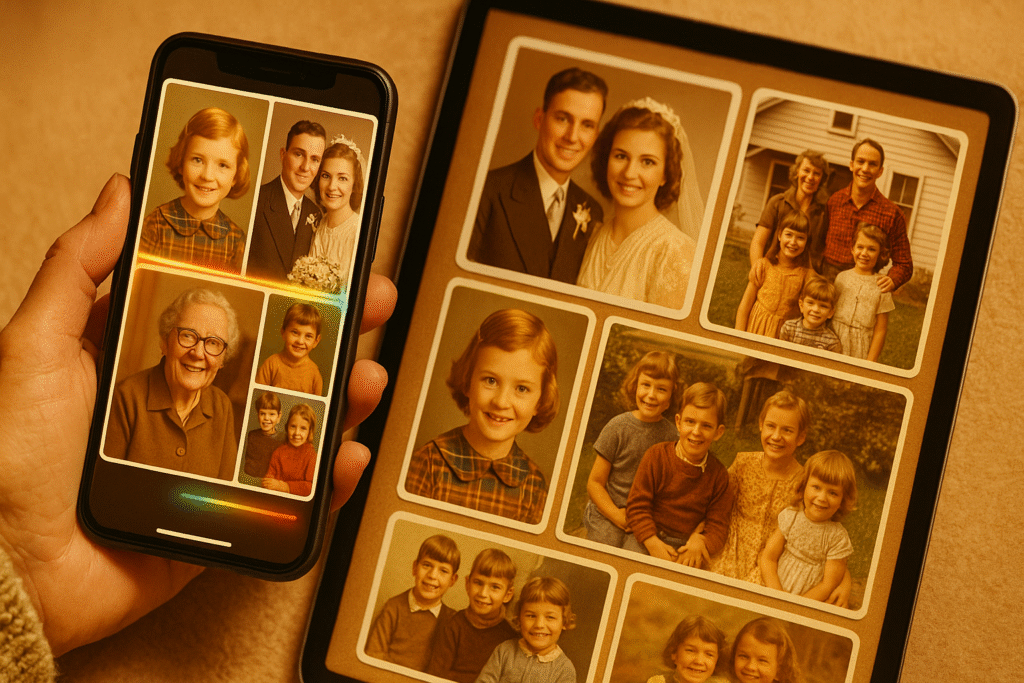
Photographs have always held a unique kind of magic. They freeze time, telling stories long after voices fade and details blur. For many families, printed photos are more than images; they’re emotional heirlooms, keepsakes passed from one generation to the next. A black-and-white wedding photo from the 1950s, a grainy Polaroid of a child’s birthday, and a faded family portrait taken in front of an old wooden house, each one containing a universe of memory.
But time isn’t kind to physical photos. As years go by, paper yellows, colors fade, corners wrinkle, and stains or light damage distort what was once clear. Thousands, perhaps millions of precious memories are sitting today in dusty shoeboxes, forgotten photo albums, or storage bins, quietly deteriorating with every passing year. These moments, unless rescued, risk being lost forever.
Enter Photomyne, a revolutionary mobile app that turns your smartphone into a powerful photo digitization studio. Founded in 2014 in Israel, Photomyne was born out of a simple yet powerful idea: make it easy for anyone to preserve their memories beautifully and permanently with just their phone.
While many photo-scanning tools exist, Photomyne stands out for one key reason: AI-powered automation. The app doesn’t just scan, it detects, crops, enhances, colorizes, organizes, and preserves in ways that were previously only possible with professional equipment and hours of manual effort.
With Photomyne, you can:
- Scan multiple printed photos at once, even full album pages, with automatic detection and intelligent cropping. No need to remove each picture from plastic sleeves or frames.
- Restore faded or damaged images using sharpening, contrast correction, and glare removal, bringing out facial details, colors, and background elements that might’ve been lost to time.
- Digitize a variety of formats, not just prints, but also negatives, slides, artwork, postcards, and documents.
- Build smart digital albums that auto-tag locations and dates, and even identify people with facial recognition, making it easier than ever to search and organize family history.
- Colorize old black-and-white photos with natural-looking tones that feel authentic and emotionally impactful.
- Record voice notes, add captions, or write stories to accompany each image, preserving not just visuals but the meaning behind them.
- Back up to the cloud and sync your library across devices, including access to a web-based desktop interface for larger screen editing and archiving.
What sets Photomyne apart isn’t just its technology, but its thoughtfulness. It’s designed for grandparents, parents, archivists, students, teachers, and anyone who holds old photos dear. You don’t need to be tech-savvy. You don’t need a scanner. You just need your phone and a few moments to start saving the stories that matter most.
As the pace of digital life accelerates, Photomyne offers something rare: a bridge between the analog past and the digital present. It makes preserving your family’s history as easy as snapping a picture. More importantly, it helps you rediscover the people and stories that shaped who you are today.
In the sections that follow, we’ll explore 7 genius photo-enhancement features powered by Photomyne’s cutting-edge AI. These features don’t just scan, they restore, enhance, organize, and reimagine what a mobile photo experience can be. Whether you’re a nostalgia enthusiast, family historian, or someone with a box full of old pictures you’ve always meant to digitize, this is your sign: it’s time to bring those memories back to life.
1. Batch Scanning & Auto‑Crop Magic
Photomyne’s signature feature is batch scanning. Simply hold your phone over a flatbed of four to six photos, and the app instantly detects, crops, and rotates each one individually. That automatic process eliminates the need for tedious manual cropping.
Why it’s genius:
- Scans entire albums in minutes
- Preserves originals in high resolution (up to 5–12 MP, depending on device)
- Maintains consistent framing across similar-looking photos
User feedback is overwhelmingly positive:
“I scanned over 400 pictures… you will say, ‘What? I am done already!’”.
2. AI Image Enhancement & Sharpening
Once scanned, Photomyne uses AI to boost clarity and detail, remove glare, and enhance contrast, turning faded, blurry prints into vivid images.
Core improvements include:
- Sharpy filter: refines edges in faces and textures
- Color stabilization: corrects yellowed paper and faded pigments
- Auto correction: adjusts perspective, lighting, and rotation
Photomyne’s enhancements often look better than the original print. Users report scanning historical photos and seeing sharper, more vibrant versions than they ever remembered.
3. Colorize Black-and-White Photos
Photomyne transforms monochrome images by intelligently colorizing them. The AI applies natural and historically accurate palettes, ideal for bringing old family photos to life.
Why it matters:
- Revives emotional connection to history
- Delivers colorization in less than 30 seconds
- Creates modern versions of vintage patterns
A user writes:
“The colorize feature is neat for photos of people no longer living.”.
This feature blends tech and nostalgia in a meaningful way.
4. SlideScan & FilmBox: Converting Negatives to Legacy
Photomyne offers separate apps, SlideScan and FilmBox, to convert slides and negatives into digital images. Using a lightboard setup, the app captures negatives and intelligently inverts them.
The result:
- High-quality digital photos from faded film
- Automated inversion, cleaning, and color adjustment
- Seamless pipeline for old film cassettes or slide shows
It addresses a niche but vital need and does it with a few taps.
5. Magic Tag: Contextual AI Metadata
Launched in late 2024, Magic Tag harnesses Google Gemini to analyze each photo’s visual content, identifying locations, periods, and notable landmarks.
Key offerings:
- Contextual tags (“Eiffel Tower”, “1950s family picnic”)
- Helpful suggestions for missing dates or places
- A faster route to organizing memories chronologically or geographically
Using visual clues like architecture or signage, Magic Tag acts as an AI-powered historian, revealing details you may have forgotten.
6. Voice Narration, Text Tags & People Annotation
Photomyne doubles as a memory-keeping platform. In each album, you can:
- Record voice captions: “This is Grandma’s wedding, 1948.”
- Add text labels, name people, or annotate the occasion
- Tag faces helping the AI learn who’s who for future albums
This makes your digital archives both searchable and emotionally rich, ensuring no memory is lost.
7. Collage Builder, Sharing, and Cloud Sync
Photomyne extends beyond scanning:
- Build photo collages or slideshow exports
- Share albums via email, social, or web links (even for non-app users)
- Cloud sync across phones, tablets, and desktops through Photomyne’s platform (Membership required)
Perfect for sharing family albums with relatives or preserving memories across devices.
Why These Features Matter
Together, these seven features transform a smartphone into a powerful digitization studio:
- Speed + Quality
Batch scanning and AI restoration make it easy and pristine. - Accessibility
Anyone with a phone can digitize family archives. - Smart Context
Magic Tag adds automatic metadata for sorting and discovery. - Emotional Depth
Voice & text captions bridge memories across generations. - All Media Supported
Works with prints, slides, negatives, and even artwork. - Privacy & Control
Scanning happens locally first; sharing is opt-in. - Preservation for Generations
Voice memory, album structure, AI tags, it’s a digital legacy in your pocket.
Getting Started with Photomyne
- Install Photo Scan by Photomyne (iOS/Android)
- Place 3–6 photos on a flat, clean surface with soft lighting
- Tap scan auto-detection goes to work
- Review scans: crop, rotate, enhance
- Use Enhance tools: sharpen or colorize
- Add metadata: date, people, audio
- Use Magic Tag for smart suggestions (iOS only currently)
- Create albums and share via link or collage
- Upgrade membership for full cloud sync & unlimited scans
FAQ: Photomyne Mobile Photo Scan
Q1: Is Photomyne free?
Yes, the basic scanning app is free. Membership (~$60/year) unlocks unlimited scans, cloud sync, desktop access, and full-resolution exports.
Q2: Does the app work offline?
Yes. Scanning and enhancement are done on-device. Magic Tag and cloud sync require the internet.
Q3: Can I scan other media?
Yes: slide negatives, film, art, and documents via dedicated apps and lightboard setups.
Q4: How accurate is colorization?
Generally, impressive users describe it as “natural and smooth,” though results may vary depending on shading.
Q5: How secure is my data?
Photos are local until you opt for cloud sync. Even synced images are stored under Photomyne’s privacy policy.
Q6: Does it support old photo albums?
Yes! Batch scanning is perfect for album pages; no need to remove each photo.
Q7: Can I export images elsewhere?
Yes. High-res transfer to PC, prints, and social sharing are all supported.
Q8: What platforms support it?
Available on iOS and Android. Desktop access via the web requires Membership.
Final Thoughts: A Genius Way to Preserve Memories
Photomyne isn’t just another photography app. It’s a brilliant combination of AI-powered scanning, enhancement, metadata structuring, and digital legacy creation.
With features like:
- Batch auto-scan,
- Sharpening/colorizing AI,
- Slide/negative support,
- Magic Tag metadata,
- Voice and text annotation,
- Cloud sync and sharing
…it makes archiving easy, fast, and meaningful.
If you’ve ever wanted to preserve your family’s past, create digital albums, or simply breathe new life into old prints, Photomyne is the genius tool you’ve been waiting for.
Ready to transform dusty photo boxes into living, shared memories? Start scanning today.